
I Keep My To-Do List in AI
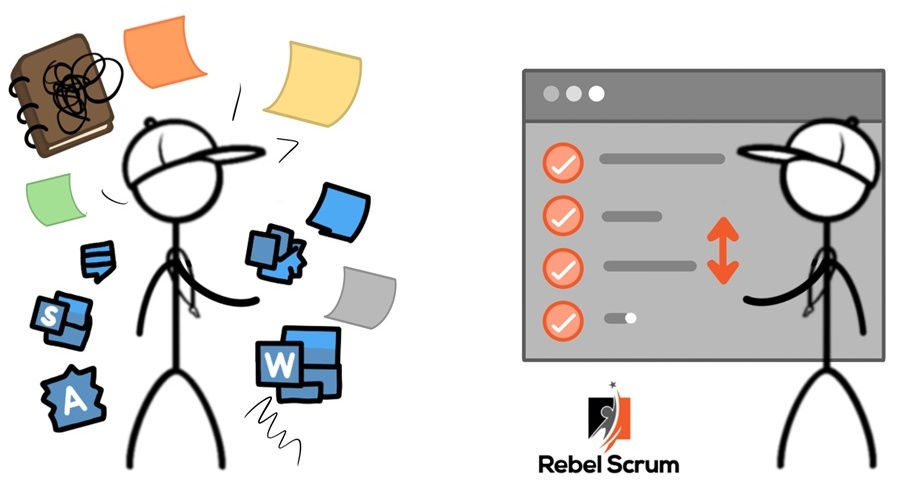
I have always kept a "to do" list. I have kept them in beautiful, leather-bound notebooks, I have kept them in Microsoft Outlook and I have tried using Microsoft Word. All of them were useful, but the hand-written notebooks take time (and get lost) and the Microsoft Outlook to do list was too time consuming, and Word was just a little boring and I kept forgetting to keep it up to date.
Now I keep my entire to-do list in AI, and it’s the best system I’ve ever used!
How I Use It
I created a dedicated project in in my AI (I use ChatGPT now) that contains:
My current To-Do List
Active projects and goals
Important context about my work and responsibilities
I interact with it conversationally every day:
“Add this to my list.”
“Mark item # 4 as done.”
“Move the Scrum Day prep above the vendor follow-ups.”
"Update Rebel Scrum class schedule"
“What should I focus on today?”
Because the AI has ongoing context, it actually understands what I’m working on, what’s urgent, and what matters strategically.
Why I like it
Here's why it's the best system I have ever used.
It's easier than keeping a written record.
It's conversational - I can tell it what task to close, which task to move up or down, and it will do that for me. For me this is really important because it' so easy.
I can ask it to sort by due date (some tasks I have added due dates on, some I haven't) and it will.
And besides that, my AI knows why things matter, how they connect to bigger goals, and what else is happening in my world. It knows about contracts I’m pursuing, training sessions I’m delivering, and follow-ups that have been sitting too long.
When I ask, “What should I focus on today?” it gives me smart recommendations based on timing, importance, energy, and dependencies — not just what’s next on my list but what should be next on my list.
I Treat It Like a Personal Product Backlog. I constantly reprioritize, reorder, and refine the list. I break down big items, add notes, and clean out stale tasks. I regularly ask for advice on what is the most important thing to do next, and sometimes I re-organize my personal backlog based on this advice.
Conclusion
Keeping my personal to-do list in AI has dramatically improved how I manage my work and attention.
It acts as a memory system, a prioritization tool, a planning assistant, and a strategic thinking partner — all in one.
If you’re tired of scattered notes, forgotten tasks, and constant context switching, try moving your to-do list into AI and giving it its own dedicated project. For more creative ways to use AI, join an upcoming Professional Scrum Master - AI essentials class with Rebel Scrum.
-


